Auto-translated from Spanish
Did you build a really nice-looking website but you’re not seeing it anywhere in Google’s results? I’ll show you how to fix that.
2 THINGS YOU CAN DO
There are two main things you can do to get any page on your domain or website into Google’s millions of search results.
SET UP GOOGLE SEARCH CONSOLE
With this tool, you can not only tell Google directly that you want a page indexed, but do a lot more besides.
Learn more about Google Search Console
HOW DO YOU SET IT UP?
On WordPress, all you need to do is install the plugin: Site Kit
Once you click continue and sign in with your Gmail account, you’ll end up with something like this:
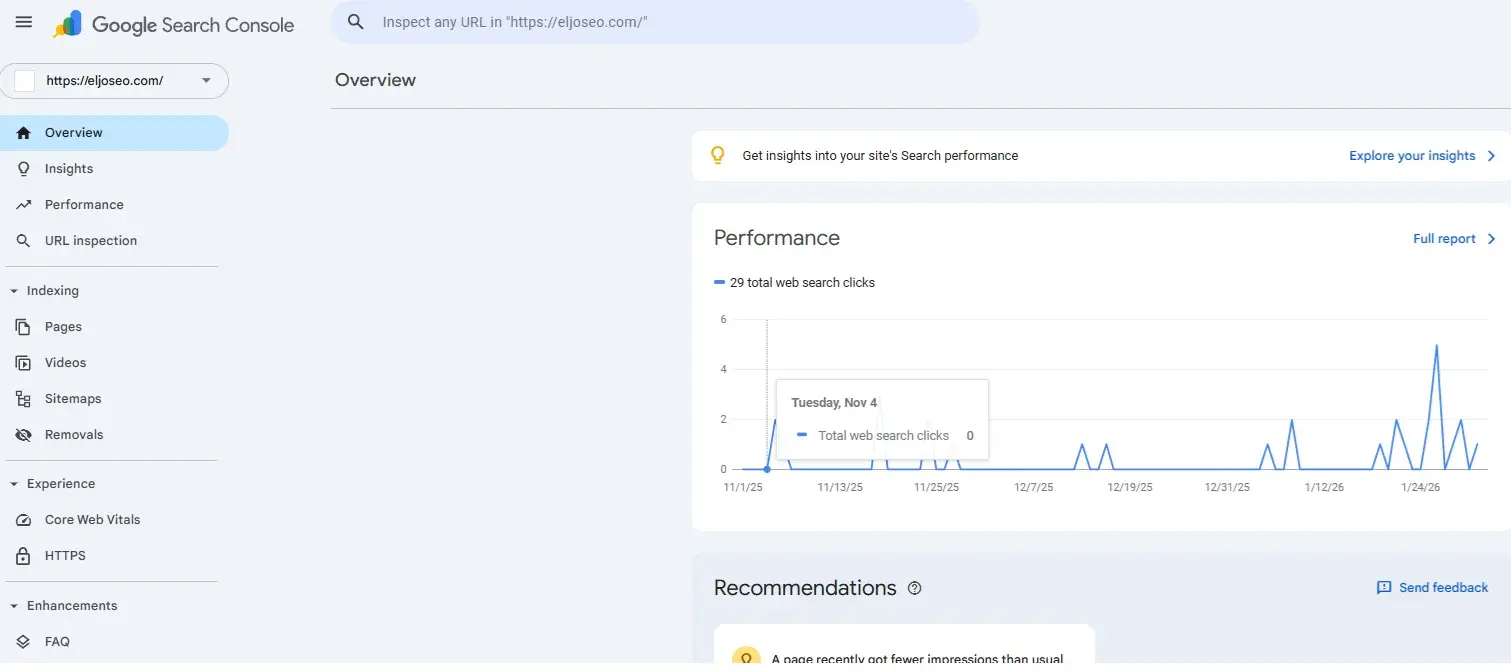
Last step: in the top bar, enter the full URL or page you want to show up on Google.
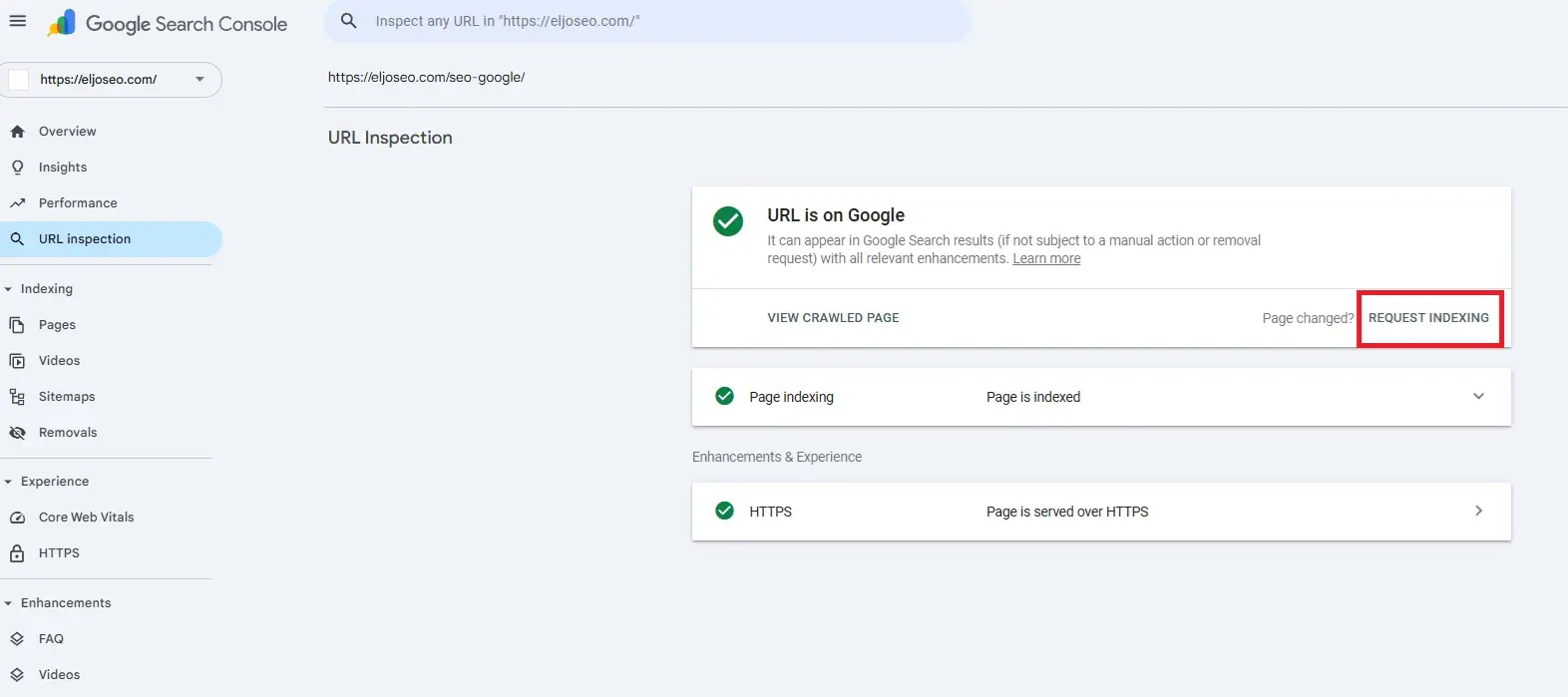
Then click on request indexing
Wait a few seconds and you can close the page — there’s a very good chance Google will review and index your URL.
SET UP A SITEMAP
A sitemap is a commonly used way to tell Google, in a simple format, exactly which URLs it should show in its index and crawl regularly.
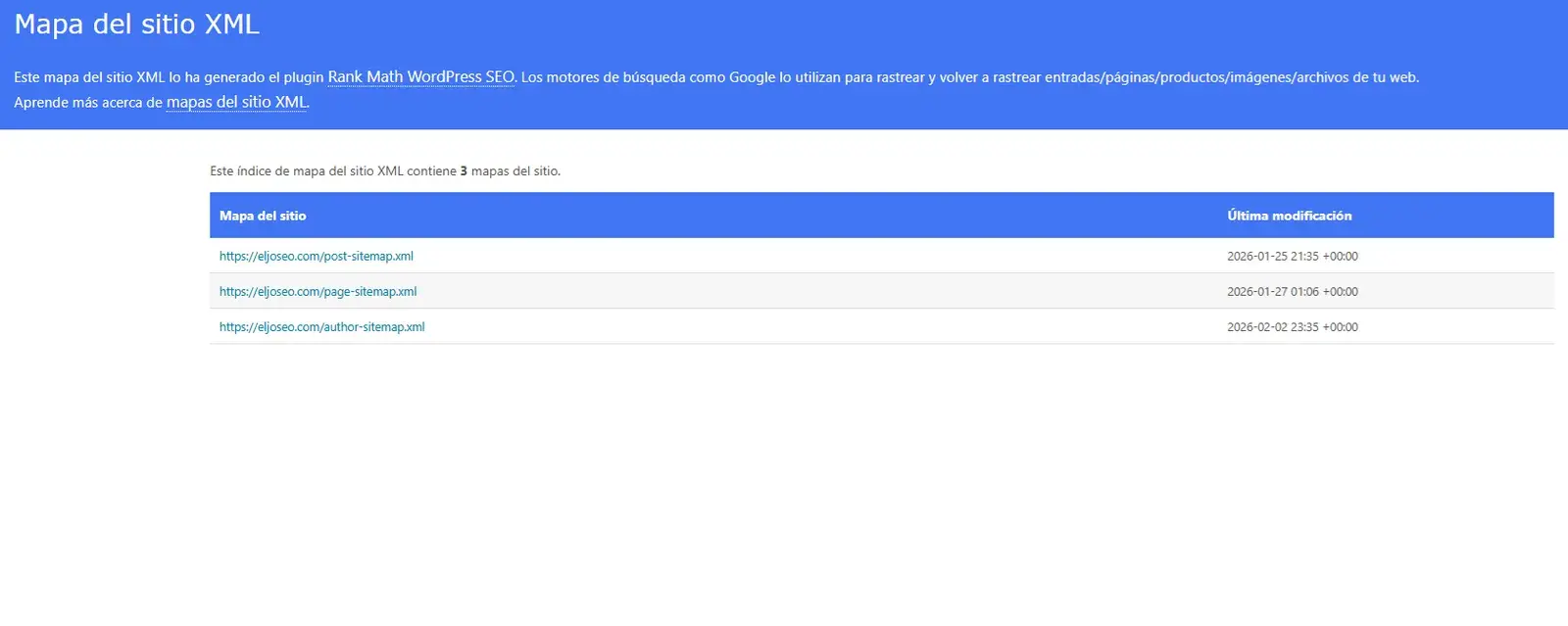
The good news is that a sitemap can also be generated automatically with the help of an SEO plugin on WordPress (if you’re not on WordPress, look for an SEO plugin for your specific CMS).
How to install a WordPress plugin
The plugin I’d recommend installing is Rank Math.
Just by installing the plugin, you’ll have your sitemap created automatically, which means a big improvement in how your site gets crawled — and within the next few hours, a lot more of your site’s URLs will start showing up on Google.
One Final Tip
Always check whether your URL or page is set to “Index.” What does that mean?
Download The Best SEO Extension
The Index tag lives in the HTML — in your website’s source code. So you don’t have to dig through code yourself, just install an SEO extension for your browser:
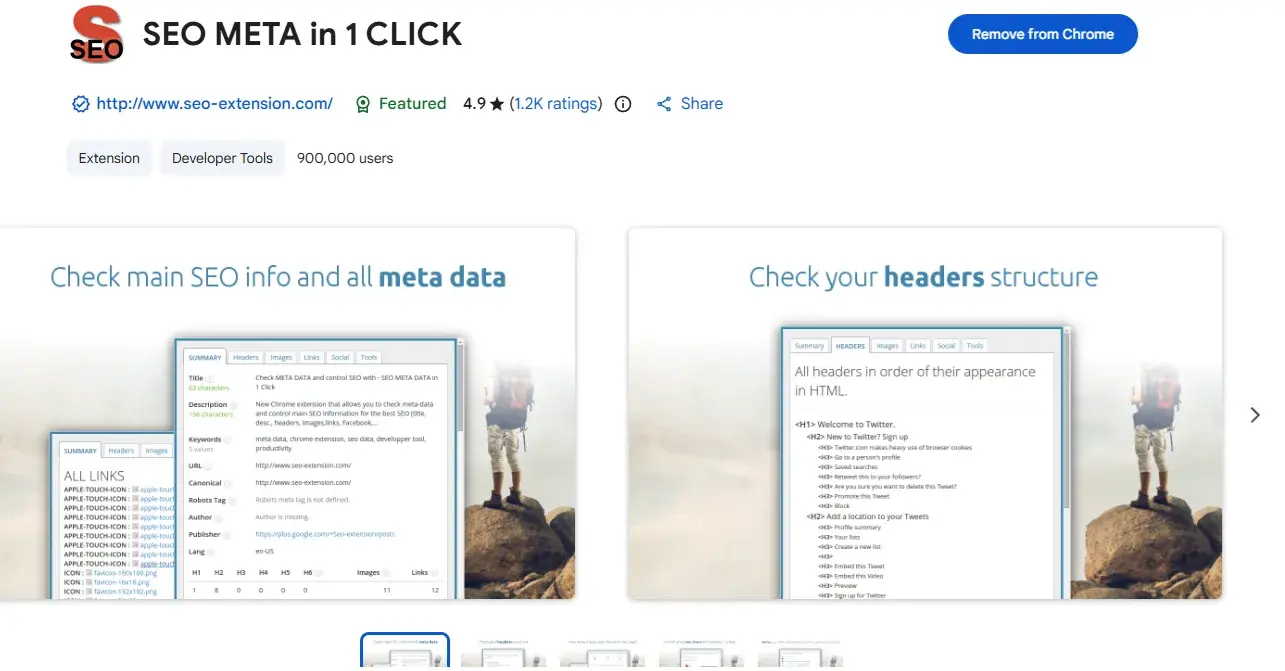
With this extension, just go to the page you want to check and open it — under Robot Tag you should see INDEX. If it says NOINDEX instead, there’s something else you’ll need to do… but I’ll cover that in another post :)
Remember, we cover everything we just talked about in the SEO COURSE