Auto-translated from Spanish
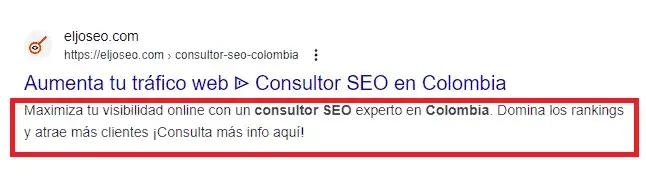
The meta description is an HTML-level tag that lets you control how a search result is displayed on Google. Let me explain with an example:
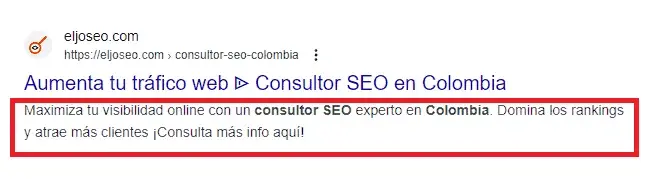
As you can see in the image, when you search Google, the results that show up have two essential features besides the logo and the URL of that specific page: the meta title and the meta description. The text you see in blue corresponds to the meta title, while the small black text right below it is the meta description — basically a short summary of the content you’ll find on that website.
What Is This Meta Description For?
Now that you know what the meta description is, you’re probably wondering… okay, but what’s it good for? Let me tell you — a lot, actually, because the meta description can help boost the click-through rate of your URL. Why? Think of it this way: as I mentioned, this meta description shows up whenever a user searches for something on Google, and yours isn’t the only result — there can be thousands, even millions, of them in some cases. So how do you stand out? How do you get people to click your URL instead of a competitor’s? That’s exactly the point.
A meta description needs to grab attention — it should contain text that explains, in an eye-catching way, what your URL is about and why someone should click on it. The meta description drives that click, and whether you get it right or wrong will positively or negatively impact your website’s traffic.
How Do I Edit the Meta Description on My Website?
There are many ways to edit this meta tag on a website — it depends on your CMS (Content Management System) and your level of experience. But to keep it short, here are a few quick and easy ways to do it. SEO consultant in Colombia
WordPress
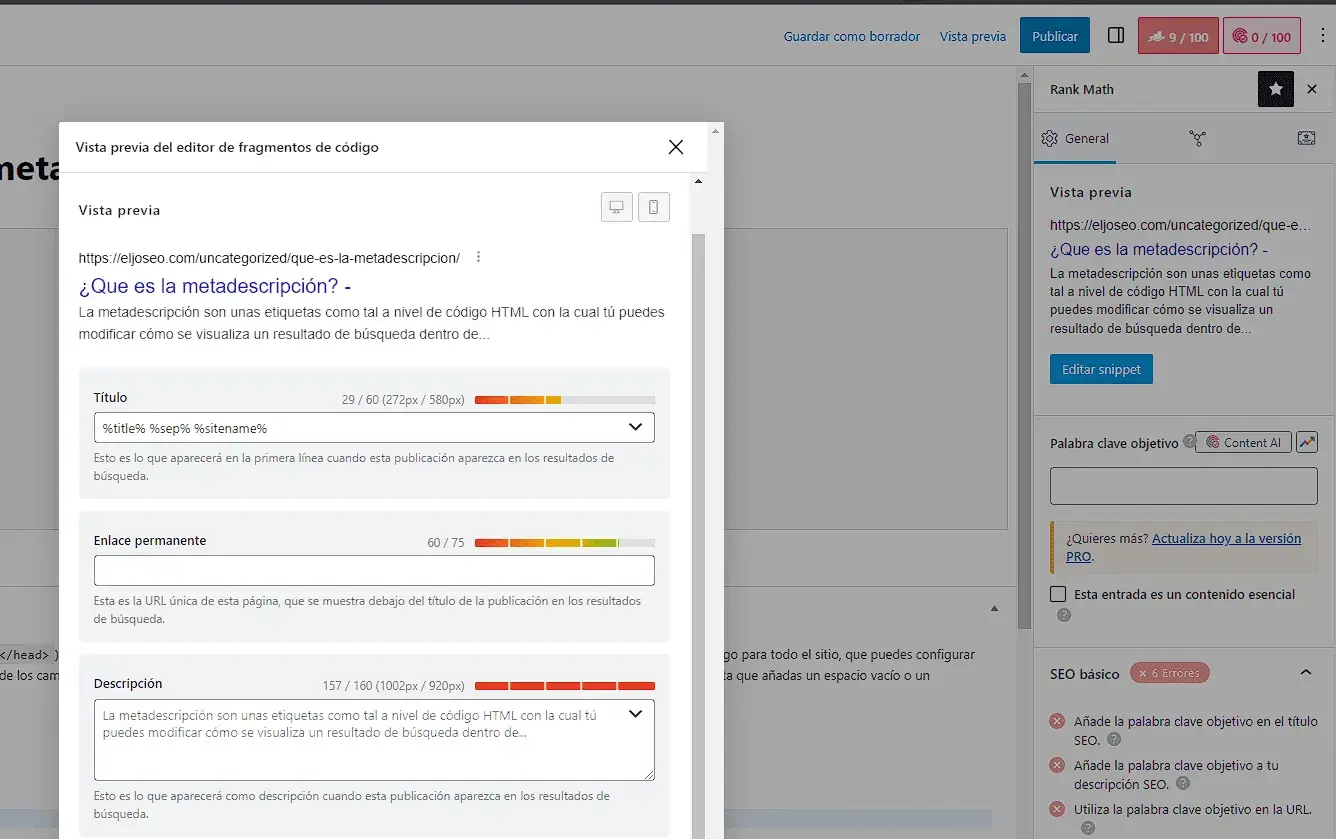
To change this attribute in WordPress, I’d recommend installing a plugin called “Rank Math.” This plugin will let you optimize your meta description, among many other things. Once you have it installed, follow these steps:
- Go to the content or page whose meta description you want to change.
- In the top-right corner of the screen, you should see the Rank Math icon — click on it.
- You’ll see a preview of the meta description and meta title for that specific URL — click “Edit Snippet.”
- Once the new window pops up, you can edit the meta description and meta title in the corresponding box.
- Once you’ve made the change, click “Publish” and you’re done.
Drupal
- Log in to the Drupal admin panel.
- Go to the page you want to modify.
- In Drupal 7, click “Edit” or “Edit page.” In Drupal 8 or later, click “Edit” or the edit icon.
- Find the meta description field, usually labeled “Description” or “Summary.”
- Enter a new meta description that’s concise, relevant, and appealing.
- Save the changes.
- Keep in mind that search engines may take a while to reflect the changes.
Keep an Eye on Character Count
As a final tip, I’d recommend paying attention to the character count of your meta description, since if it’s too short or too long, it won’t display properly in the search results.
Try to keep your meta description between 130 and 155 characters to avoid any issues.
Use the following website if you want to check the character count of your text.
Remember! Google Helps You Out
Keep in mind that Google increasingly understands the content of your URL and adapts it based on a specific search query — mainly to help more users click through to your site. Because of this, even if you wrote your meta descriptions manually and with a lot of care, there’s a good chance Google will still swap them out in the search results.