Auto-translated from Spanish
The meta title tag is one of the mechanisms used in SEO to rank a keyword or query for a specific URL. But what is it, exactly? Basically, it’s an HTML tag that indicates the main title of what a URL is about, what it shows, and — more importantly — which query it’s meant to answer.
Let’s say you did a keyword study and found that you want to target the phrase “food delivery” for a URL on your website. One of the most basic things you’d do, almost without hesitation, is place that keyword inside the title tag.
By doing this, you’ll gradually signal to Google that you want to rank for that specific keyword, and that your content answers that query 100%.
The meta title is the main and most important one among the 3 most commonly used and mentioned meta tags in SEO.
- Meta description
- Meta keywords (nobody cares about this one, lol)
Now I want you to look at this image related to the previous example:
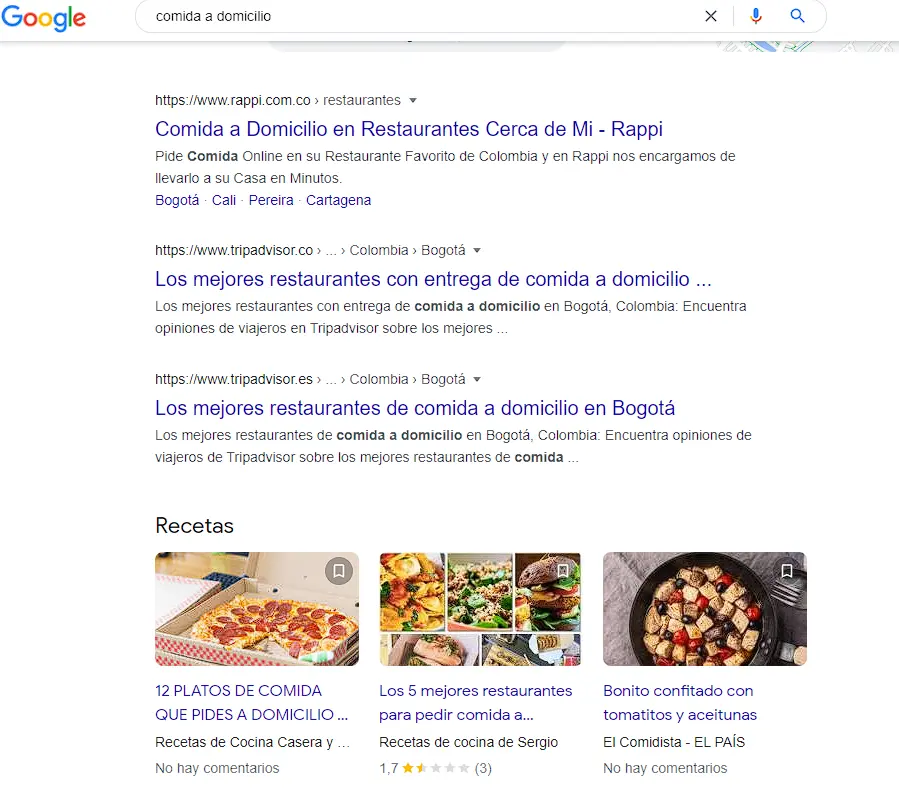
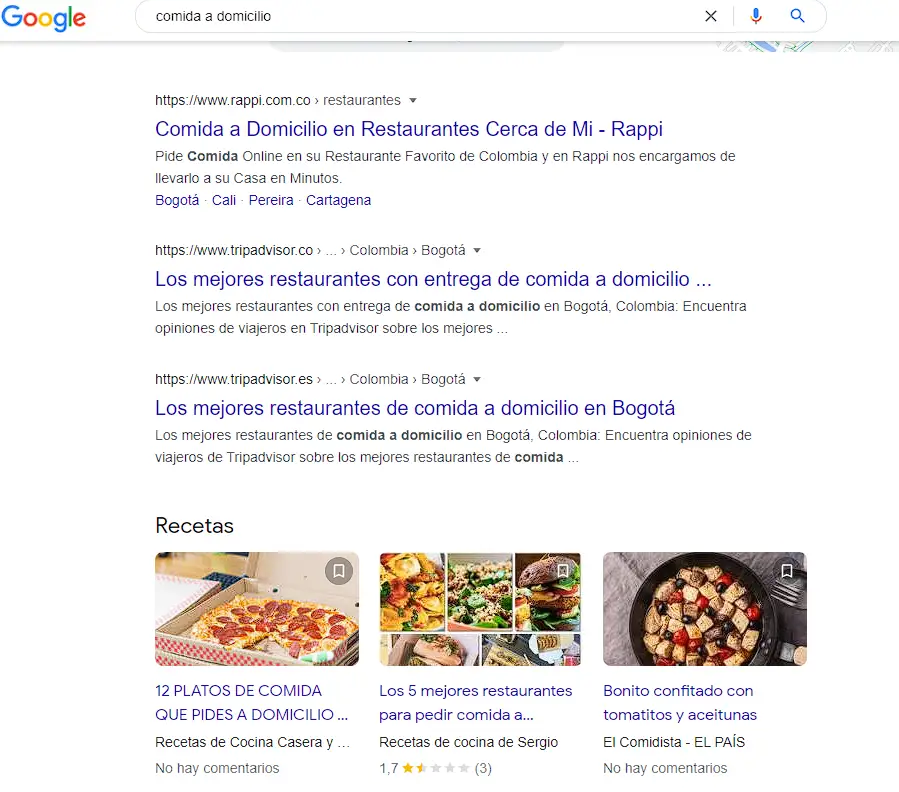
As you can see in the screenshot, searching Google for “food delivery” brings up a lot of organically ranked results — but I want you to pay attention to the general structure of these results: there’s a larger title in blue (the meta title), followed by a smaller, black-colored description (the meta description).
What you see in blue is that meta title, and if you look closely at the screenshot, you’ll notice that every result displays the keyword I used for the main query, “food delivery.”
Quick Dose
The meta keyword is the third tag in this group. It can’t be seen within the search results for a keyword, but it can be viewed and edited through the website’s HTML code. It doesn’t carry much weight in SEO these days.
How Do We Change the Meta Title of a URL?
There are many ways to edit the title tag on a website, and here I’ll show you the two most common ones:
1) Editing Through Code:
A lot of the time you’ll have a webmaster on your team who can help you with this, but I’ll explain it as if that weren’t the case.
If you go into the HTML code of a specific page, you’ll see a line of code that looks roughly like this:
If you have access to the backend of the site (all the processes a regular user doesn’t normally see), you can modify the content inside the
Once you’ve made the change, you can go around saying you’re a hacker! Well… you’ve still got a long way to go for that, but the job is done. This way you’ll be able to modify this meta title and update it however you see fit, based on the results of your keyword research.
2) Editing Through Plugins (WordPress) or Another CMS:
If you work with popular commercial CMS platforms like WordPress, GoDaddy, Drupal, etc., you’ll have it much easier, since these CMS platforms usually come with built-in features that let you edit it without touching the code.
Here’s an example in WordPress using a plugin called RANK MATH
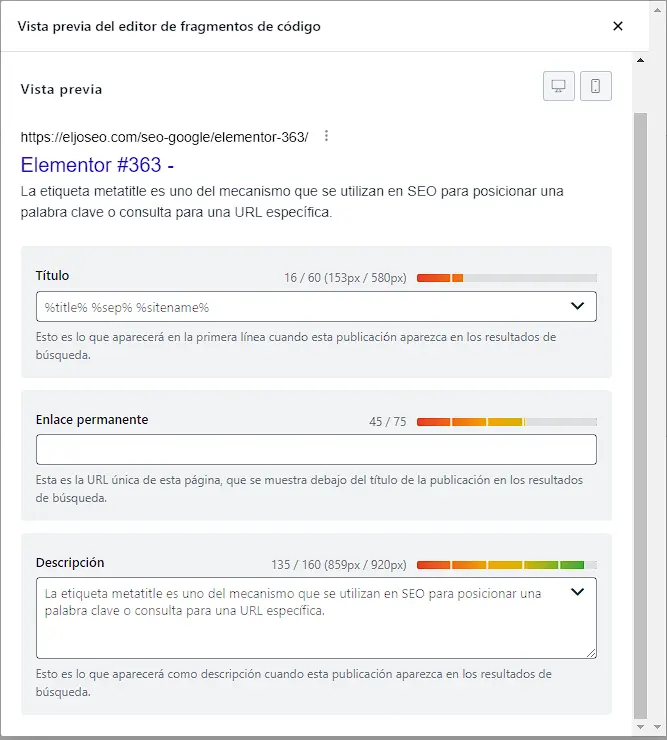
As you can see in this example, by clicking “Edit Snippet” on a specific URL, you can edit the title however you want — save it, and you’re done!
Like I mentioned, you’ll generally find these same kinds of options in whatever other CMS you use, but the important thing is that you understand how and why we do this.
How Do I View the Meta Title Tag on Any Website?
You can do this in two ways. As I mentioned, one is through the code: go to the website whose
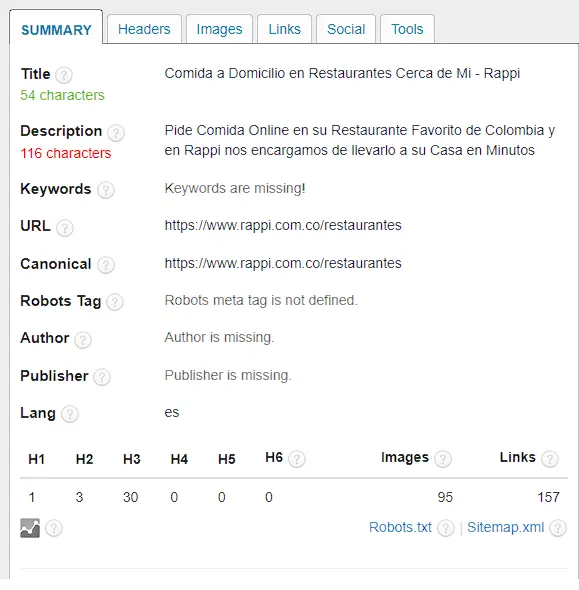
If code isn’t your thing, you can check it using an extension that, for me, is a must-have among SEO extensions: SEO Meta in 1 Click (see the image below). With this extension, you’ll get a broad view of a lot of SEO aspects, and the meta title in particular.